
Boost Small Business Efficiency with Automation
Small Business, Automation, Productivity
The Imperative of Automation Mastery for Small Businesses
Learn how smart automation helps small businesses save time, cut costs, and unlock scalable growth without adding headcount.
Meta Description: Discover how small businesses can master automation to streamline operations, reduce manual work, improve customer experience, and increase profit using practical tools and step-by-step implementation strategies.

Master Automation, Multiply Your Impact
Streamline operations, save time, and grow your small business with smart systems
Strategic automation turns scattered tools into a streamlined, scalable business engine.
The Imperative of Automation Mastery for Small Businesses
In the dynamic landscape of modern commerce, small businesses face a perpetual challenge: maximizing output with limited resources. The solution is no longer just working harder; it’s working smarter through Automation Mastery for Small Businesses. This comprehensive guide will delve into how strategic automation can revolutionize your operations, allowing you to automate operations, drastically save time, and significantly increase profit.
For too long, automation was perceived as a luxury reserved for large enterprises with massive IT budgets. Today, affordable, accessible tools have leveled the playing field. By implementing smart automation strategies, small business owners can reclaim countless hours spent on repetitive, low value tasks, redirecting that energy toward growth, innovation, and customer relationships.

Even simple workflow automations can recover hours each week for small teams.
Why Automation is Non-Negotiable for Growth
Small businesses often run lean, meaning every employee wears multiple hats. While admirable, this often leads to burnout and operational bottlenecks. Automation addresses these issues head-on.
1. Consistency and Accuracy: Machines don't make typos or forget steps. Automation ensures every process is executed perfectly, every time.
2. Scalability: When a process is automated, scaling up doesn't require hiring three new employees; it just requires handling more data through the existing system.
3. Cost Reduction: The time saved translates directly into reduced labor costs, helping to increase profit margins.
4. Enhanced Customer Experience: Faster response times, personalized follow-ups, and streamlined order fulfillment lead to happier, more loyal customers.
📌 Key Takeaway: Automation isn’t about replacing people; it’s about removing repetitive work so your team can focus on high-value activities that drive growth.
Section 1: Identifying Prime Candidates to Automate Operations
Automation Mastery for Small Businesses begins with a thorough audit of existing workflows. Not every task should be automated, but those that are repetitive, rule-based, high-volume, and time-consuming are ideal targets.
The Low-Hanging Fruit: Administrative and Financial Automation
Administrative tasks are notorious time sinks. By tackling these first, you achieve quick wins that build momentum for larger automation projects.
Streamlining Financial Processes
Financial management, while critical, is often bogged down by manual data entry and reconciliation. Automating these areas is essential to increase profit through efficiency.
Invoicing and Payment Reminders: Use software to automatically generate invoices upon service completion or product shipment. Set up automated reminders for overdue payments. This dramatically improves cash flow.
Expense Tracking: Integrate tools that scan receipts and categorize expenses automatically. This simplifies tax preparation and provides real-time insights into spending.
Payroll: Automated payroll systems calculate wages, deductions, and taxes, ensuring compliance and freeing up administrative staff.
💡 Pro Tip: Start by automating one financial process—such as invoicing—then layer on expense tracking and payroll once you’ve validated the time and error reduction.
Conquering Data Entry and Scheduling
Manual data entry is prone to error and incredibly slow. Scheduling meetings and managing calendars also consume significant bandwidth.
CRM Updates: Use integration tools (like Zapier or Make) to automatically update customer records in your Customer Relationship Management (CRM) system whenever a new lead signs up or a purchase is made.
Meeting Scheduling: Implement smart scheduling links that automatically check availability and book meetings without the back-and-forth email chain. This is a huge win for saving time.
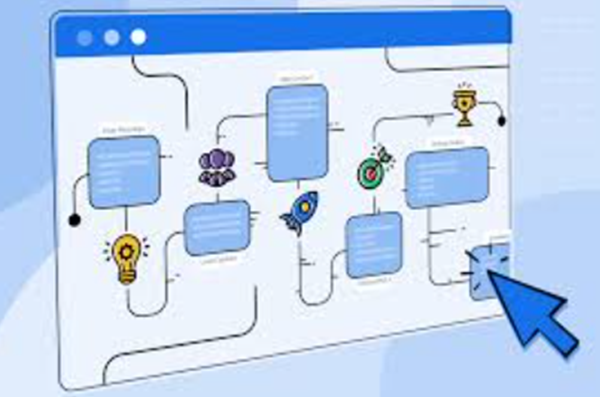
Automated scheduling and CRM updates keep your pipeline organized without extra admin work.
Section 2: Marketing and Sales Automation: Fueling Growth
Marketing and sales are the engines of revenue. Automating these processes ensures leads are nurtured effectively and sales opportunities are never missed, directly helping you increase profit.
Nurturing Leads with Automated Marketing Campaigns
Effective lead nurturing requires consistent communication, which is nearly impossible to maintain manually as your business grows.
Email Marketing Sequences
Welcome Series: Automatically send a sequence of emails to new subscribers introducing your brand, sharing valuable content, and presenting initial offers.
Abandoned Cart Recovery: For e-commerce businesses, automated emails sent hours after a customer leaves items in their cart can recover a significant percentage of lost sales.
Segmentation and Personalization: Automate the process of tagging customers based on their behavior (e.g., product viewed, purchase history) and send highly targeted, personalized content.
Sales Workflow Automation
Sales automation ensures leads move seamlessly through the pipeline and that follow-up tasks are never forgotten.
Lead Scoring: Automatically assign a score to leads based on their interactions (website visits, email opens). High-scoring leads are immediately flagged for sales team action.
Follow-Up Tasks: When a sales representative completes a call, the CRM automatically schedules the next follow-up task (e.g., send proposal, schedule demo). This structure is critical for sales efficiency.
Proposal Generation: Use document automation tools that pull client data from your CRM to quickly generate professional, customized proposals, allowing your team to focus on closing, not formatting.
💡 Pro Tip: Map your ideal customer journey first, then layer automations at each stage—from first touch to closed deal and beyond.
Section 3: Customer Service and Operations Automation
Exceptional customer service is a competitive differentiator. Automation can elevate your service quality while simultaneously helping you save time and resources.
Enhancing Customer Support with AI and Chatbots
Modern consumers expect instant answers. Automation allows small businesses to meet this expectation 24/7.
Chatbots and FAQs: Implement AI-powered chatbots on your website to handle common inquiries (e.g., "What are your hours?" "Where is my order?"). These systems resolve issues instantly, filtering out simple requests so human agents can focus on complex problems.
Automated Ticket Routing: When a customer submits a support ticket, the system automatically analyzes keywords and routes the ticket to the most appropriate agent or department, speeding up resolution time.

AI chatbots handle routine questions so your team can focus on complex cases.
Inventory and Fulfillment Automation (E-commerce Focus)
For businesses dealing with physical products, inventory management is a major source of operational stress.
Stock Alerts: Automatically receive notifications when stock levels drop below a certain threshold, triggering reordering processes.
Shipping Label Generation: Integrate your e-commerce platform with shipping carriers to automatically generate labels, track packages, and send fulfillment notifications to customers.
Order Status Updates: Customers receive automated emails or texts confirming order placement, shipment, and delivery. This reduces the volume of "Where is my order?" inquiries, helping your team save time.
📌 Key Takeaway: Operations automations reduce errors, prevent stockouts, and improve customer satisfaction—without adding extra headcount.
Section 4: Choosing the Right Tools for Automation Mastery
Achieving Automation Mastery for Small Businesses doesn't require complex coding. It requires selecting the right tools that integrate seamlessly with your existing infrastructure.
Essential Categories of Automation Tools
Integration Platforms (The Connectors)
These tools act as the glue between disparate applications, allowing data to flow freely and triggering actions across different systems.
* Zapier/Make (formerly Integromat): These powerful platforms allow you to create 'Zaps' or scenarios that link thousands of apps. Example: When a new entry is submitted on your website form (App 1), automatically create a contact in your CRM (App 2) and send a notification to Slack (App 3).
CRM and Marketing Automation Suites
These platforms often combine sales, marketing, and service automation into one cohesive system.
* HubSpot, Salesforce Essentials, Pipedrive: These tools are crucial for managing customer relationships and automating follow-up sequences.
Project Management and Internal Communication
Automating internal workflows ensures projects stay on track and communication is efficient.
* Asana, Trello, ClickUp: Automate task assignment, deadline reminders, and status updates based on project progression.
* Slack/Teams Integrations: Automatically post reports, sales alerts, or support escalations directly into communication channels, keeping the team informed without manual updates.

The right mix of tools lets data flow seamlessly across your entire tech stack.
⚠️ Warning: Avoid tool sprawl. Choose a small, well-integrated stack instead of adding dozens of disconnected apps.
Section 5: Implementing Your Automation Strategy
Jumping into automation without a plan can lead to chaos. Follow these steps to successfully automate operations.
The Four-Step Automation Implementation Plan
Audit and Document: Identify the 5–10 most time-consuming, repetitive tasks. Document the exact steps currently taken for each task. This is your baseline.
Pilot and Test: Choose one simple task (e.g., sending a welcome email). Select the appropriate tool and build the automation. Run extensive tests to ensure the outcome is exactly what you intend. Always test with real data before going live.
Measure the Impact: After implementing, rigorously track the time saved, the reduction in errors, and the resulting increase profit or efficiency metric. If the automation saves 10 hours a week, document it.
Iterate and Expand: Once the pilot is successful, move on to the next task. Look for ways to connect existing automations into larger, more complex workflows.
Common Pitfalls to Avoid
Over-Automating: Don't automate processes that require human judgment or creativity. Focus on the mundane.
Ignoring Integration: Ensure new tools talk to your existing systems. Siloed automation is only marginally helpful.
Neglecting Maintenance: Automation workflows are not 'set it and forget it.' They require occasional checks, especially when software updates occur.
💡 Pro Tip: Review your automations quarterly to ensure they still match your processes, brand voice, and current tech stack.
Conclusion: The Future is Automated
Automation Mastery for Small Businesses is the key differentiator between those who merely survive and those who thrive. By strategically choosing which tasks to automate operations, small businesses can significantly save time, reduce operational friction, and achieve a substantial increase profit.
Start small, measure your success, and commit to continuous improvement. The hours you reclaim today are the hours you can dedicate tomorrow to strategic growth and innovation, ensuring your business is resilient, efficient, and ready to scale.